For drum teachers
Run your roster, not your inbox.
Invite a student with a link, send them the song, setlist, score or groove for next week with your note on it, and swap recordings, each with its own thread of notes. A student account is free, can record scored takes and send recordings back while on your roster, and everything between you is private.
Every plan is free while we’re in early access. No card.
You hear a student play for half an hour a week and then guess at the other six days. Groove IO closes that gap: share a recording that you want them to focus on for the next lesson; they record a take at home in the browser, you play it back when you have a minute, and the note you write sits on the take itself. Everything is private to the two of you.
Invite in one link
They set their own password. You never handle a login.
Both directions
You send demonstrations. They send takes. Same tool.
Private per student
A note to one student is invisible to every other.
Your students, on one roster
Send an invite link and your student sets their own password — no account admin for you, no shared logins. Unlink someone and everything you shared with them goes with it, the same minute.
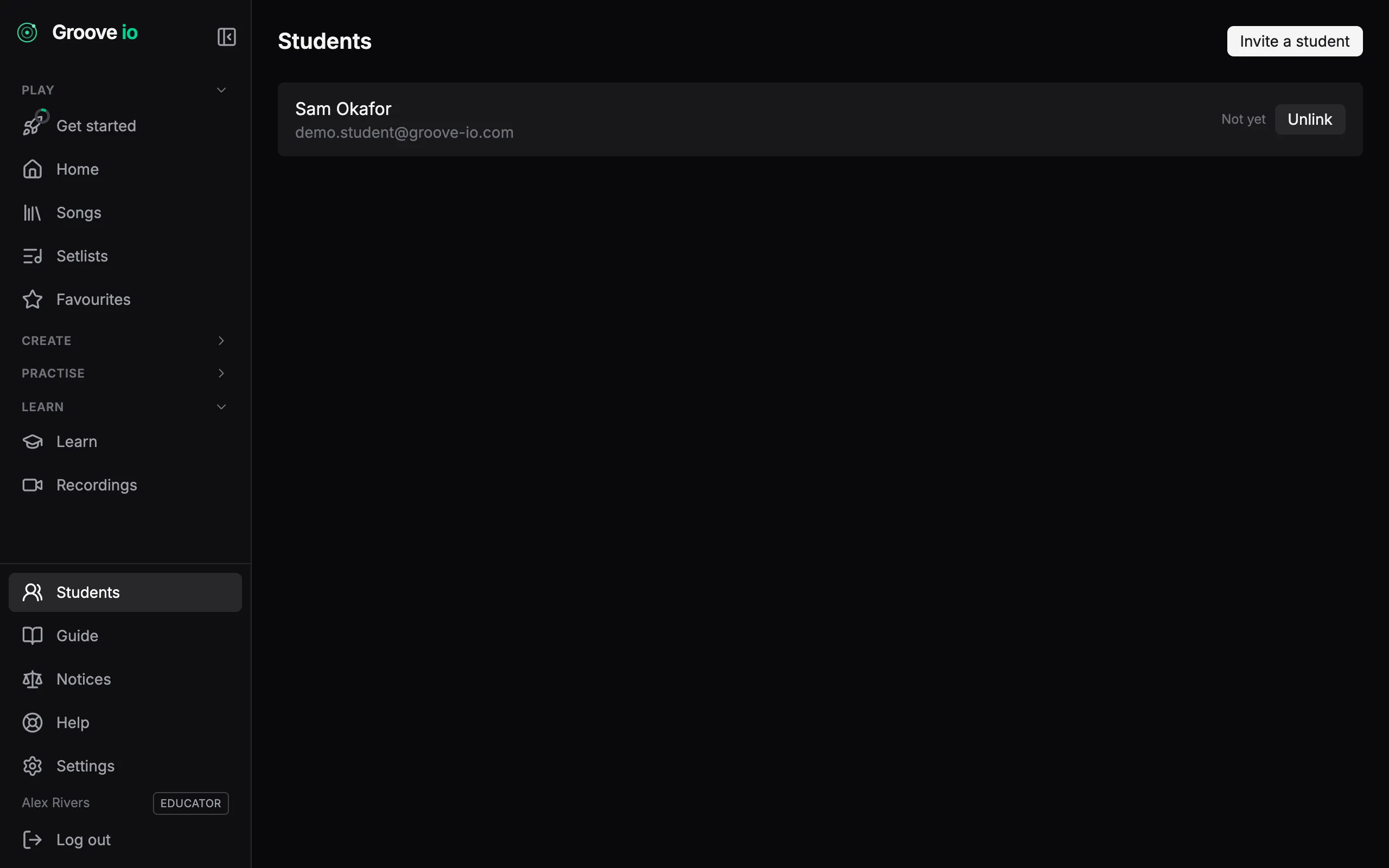
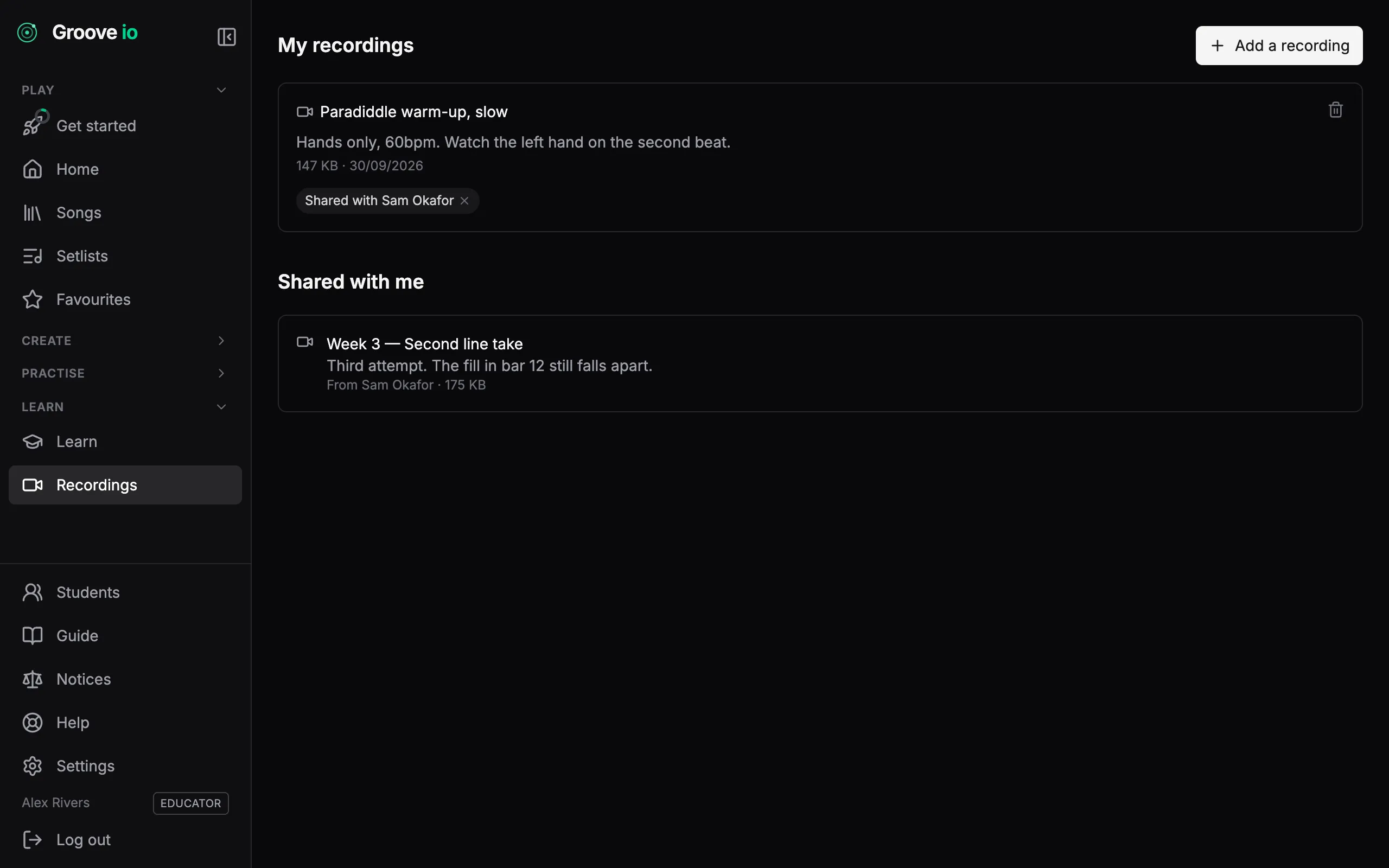
Send a take, get one back
Record a take in the browser, video or audio, or upload a clip, and send it to your teacher. If you teach, send a demonstration to any student on your roster. It runs both ways, it is private to the two of you, and either of you can take a share back without deleting the recording.
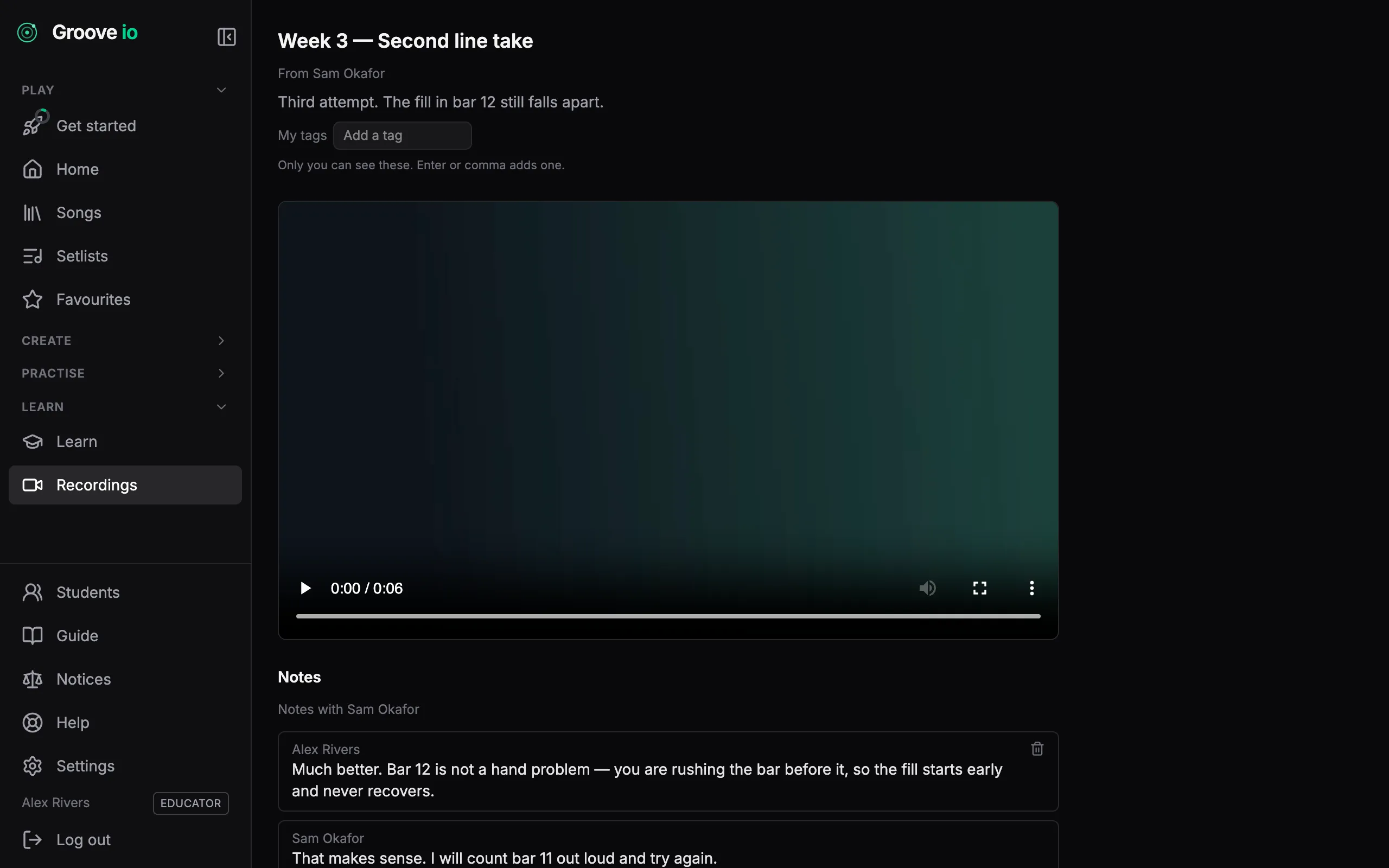
Feedback on the take itself
Every share carries its own conversation, so a note about bar 12 sits on the recording of bar 12 rather than in a message thread nobody can find. What you write to one student is never visible to another.
Give them the chart, not a link to it
Send a student a song, a setlist, a score or a groove and it lands in their library under ‘From your teacher’ — with your note on it, so they know what to do with it. Take the share back and it goes, without touching anything they made from it.
From your teacher
3 items- SetlistThursday rehearsal5 tracks
Run these in order, metronome on. Stop if the tempo sags.
- SongCut the EngineKestrel & Vine · 134 BPM
The fill in bar 12 — take it at 90 until it is clean.
- GrooveHalf-time shuffle4/4
Ghost notes quieter than you think. Listen back.
Teaching on Groove IO
The Educator plan carries a roster of up to 25 students. Students join free — a student account never pays to receive what you send them.
Questions
- How do students join?
- Open Students in the sidebar and press Invite a student. Send it however you like; it is single-use. Your student opens it, sets their own password and appears on your roster. You never handle a login.
- Do my students pay?
- No. A student account is free and never pays to receive what you send. The Educator plan carries a roster of up to twenty-five students; Studio removes the cap; teacher seats are coming.
- What can I share?
- Anything you own, and any catalogue groove: a song, a setlist, a score or a groove. It lands in the student’s library under From your teacher with your note on it. Stopping a share is the same control, and unlinking a student takes back everything you shared the same minute.
- How do recordings work?
- Either of you presses Add a recording, records in the browser (video up to three minutes, or audio up to ten) or uploads a clip, and chooses who to share it with. The note thread sits on the take itself and is private to the two of you.
- Can I see whether they practised?
- Yes, if they agree. Joining asks your student whether you may see their practice, ticked to start with, and they can change it in Settings. You see when each one last practised, their week, their streak and where they stand on each ladder, and a groove or score you set with a target tempo reads Not started, In progress or Done from their takes. A warm-up routine can be assigned with a due date too, and reads Done once they have played it through since you shared it.