For electronic kits
Plug in your e-kit. Every hit is scored.
Your module already knows when you hit, which drum and how hard. Groove IO reads that over USB, so every take is graded per drum against the score, a hit on the wrong pad is called out, and it ends with a straight answer. Nothing to calibrate. Warm-ups, ladders and the groove catalogue are there from the first minute; the songs are yours to bring.
Every plan is free while we’re in early access. No card.
What you need
We have checked the manufacturer’s pages for common kits from Roland, Alesis, Yamaha, EFNOTE, Millenium and Simmons. See the kits.
A module with USB, or a USB-MIDI cable
Most modules sold in the last decade send MIDI over USB and are class-compliant, so there is no driver to install. A module with only a 5-pin MIDI OUT works through a USB-MIDI cable.
Chrome or Edge
Both read Web MIDI out of the box. Firefox works once its MIDI site permission is installed, and the app tells you when that is the thing in the way. Safari has no Web MIDI, so it cannot read a kit live; it still plays, scrolls and scores with a microphone.
A laptop or desktop
The app is built for a laptop or desktop browser. Plug the module in and switch it on before opening the score, choose MIDI (e-kit) on the practice card, and hit a pad: the activity strip lights the drum it mapped to.
Any kit map
General MIDI is the default and most modules speak it. If a pad lights the wrong drum, Learn kit map prompts for the eleven drums in turn and remembers the answer for that module on that device.
Every take ends with a straight answer
Plug your e-kit in over MIDI and every hit arrives with the drum it landed on and how hard, with nothing to calibrate. No kit? Your mic listens instead — calibrate once and it accounts for your room. Either way every hit is graded against the score, so a take ends with a straight answer: how much of it landed, and what that makes you today. The detail is a click away when you want to know why.
Scored per drum, not per moment
A kick 20 ms late under a hi-hat dead on is two answers, not one. Each drum is matched against its own part of the chart.
The wrong pad is called out
A snare played where the chart wrote a tom is a wrong drum, not a near miss, and the take says how many there were.
A kit map you teach once
General MIDI works out of the box. If your module differs, hit each pad once in setup and the map is remembered for that kit.
31 of 40 notes landed within ±25 ms.
Show the full readout — every hit against the clock, drift, extras, and a By drum table of what each pad did.
MIDI in, MIDI out
Your grooves go to your DAW and your e-kit. What you play there comes back as notation.
Every groove, score and warm-up routine in Groove IO is a Standard MIDI File away from the rest of your setup. Download one and it plays in any DAW or drives any electronic kit; import one and it lands as notation you can practise, edit and share. Plug the kit in over USB and practice mode hears every hit exactly, with no microphone in the room.
Out to your DAW
Press Download MIDI on a groove, a score, a warm-up routine or a shared link. Repeats are written out so the file plays what you would hear, tempo and meter changes included, on channel 10 in the General MIDI drum map. It lands on a drum track without remapping.
In from your DAW or e-kit
Record a pattern on your kit or program one in your DAW, save it as a .mid file and drop it on Groove Studio. Each hit is snapped to the finest grid that fits its bar, so a triplet stays a triplet, and anything the import had to decide is listed before you save it as a groove or a score.
Live, while you practise
Choose MIDI (e-kit) as the input on the practice card and your module sends every hit with the drum it landed on and how hard. No level or timing calibration to run, a by-drum breakdown at the end of the take, and a hit on the wrong drum is called out rather than credited.
What travels with the file
Dynamics survive the trip
Accents, plain hits and ghost notes travel as velocity and come back as the same marks, so a groove with feel is still a groove with feel once it is in your DAW.
Tuplets stay exact
Files are written at the score model’s own resolution, so every triplet and tuplet position is an exact tick rather than a rounded one.
A kit map you teach once
General MIDI is the default and most modules speak it. If yours does not, hit each drum once in Practise setup and the map is remembered for that kit.
Wired or wireless
USB, or a USB-MIDI cable on a 5-pin MIDI OUT, needs nothing more. On Bluetooth MIDI an optional offset measurement takes the link’s delay out of your timing.
Live e-kit input uses Web MIDI, which Chrome and Edge support and Firefox supports once its MIDI site permission is installed. Safari has no Web MIDI, so on a Mac use Chrome, or plug the module’s line-out into your microphone input. Download and import work in every browser.
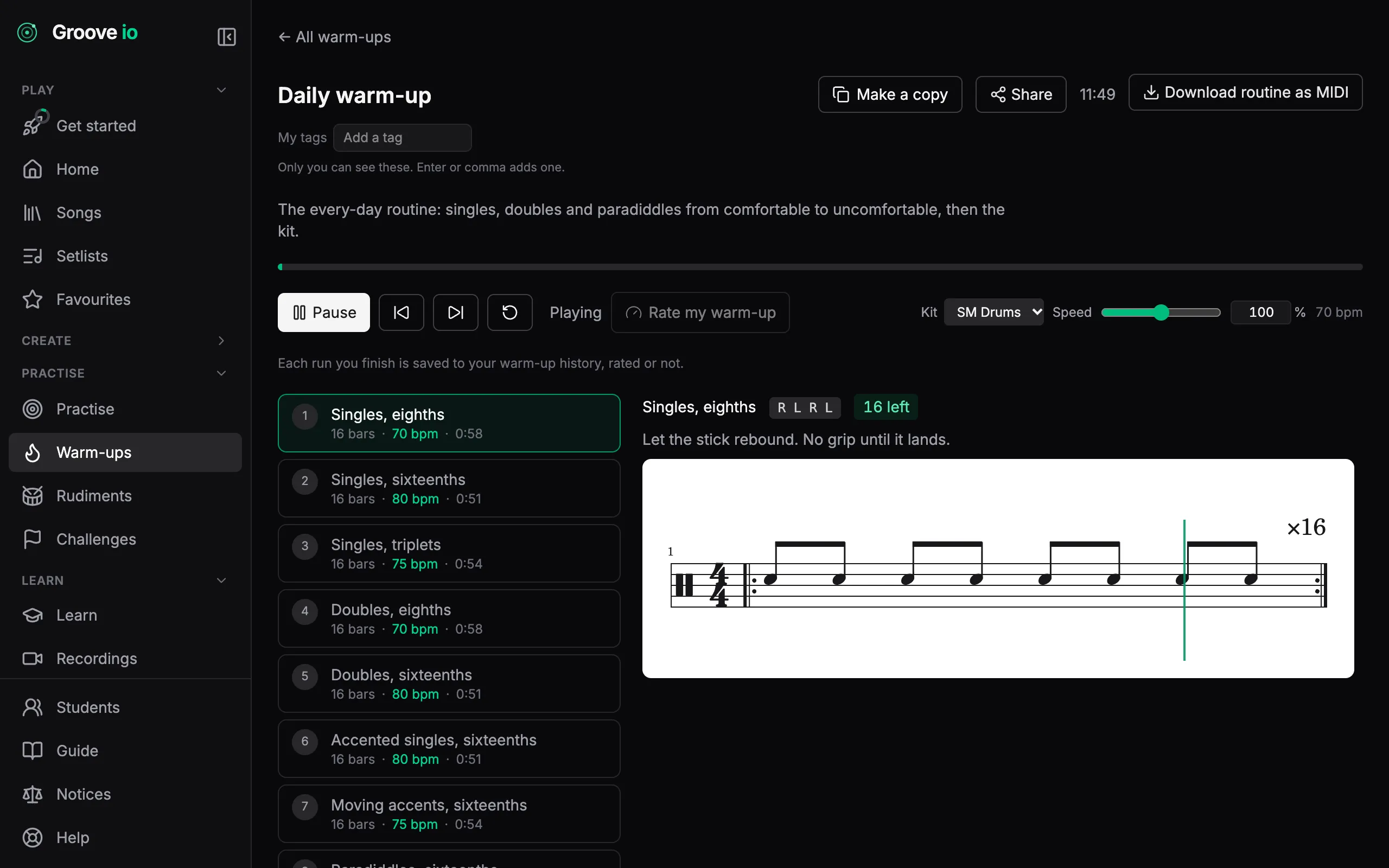
Warm up before you play
Singles, doubles, paradiddles, moving accents and rolls, ramping from a comfortable tempo to an uncomfortable one. Press play once: each step counts you in and the routine moves on by itself.
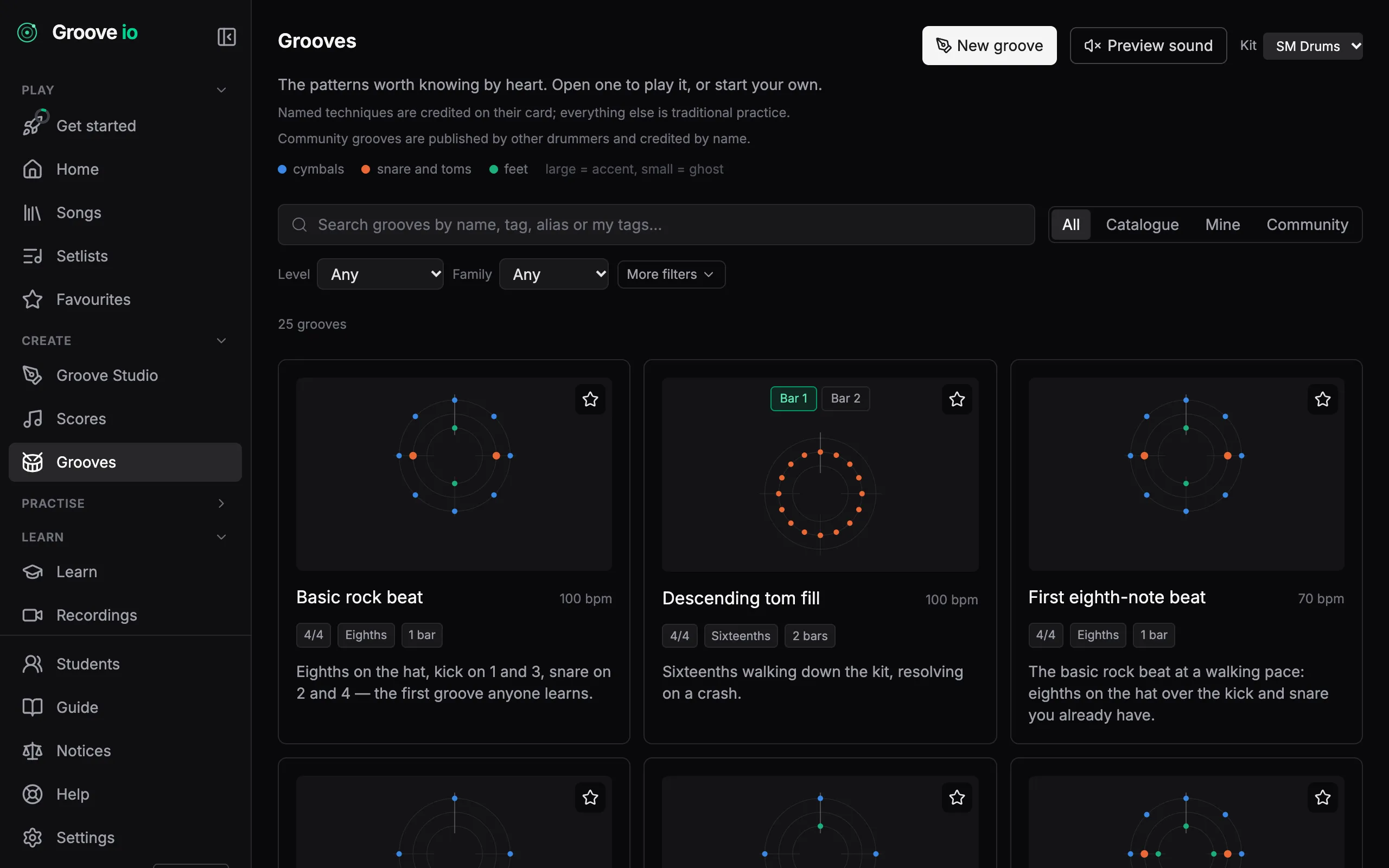
The patterns worth knowing by heart
Second line, son clave, bossa, half-time shuffle, jazz ride. Open one, play it at any tempo, then save a copy and make it your own. The catalogue itself never changes, so what you learned last month is still there.
Every take, kept
Each scored take goes on your record: a list of takes, a twelve-week report, your streak, and the best tempo you have held on every groove you play.
How it works →What to play next
Six ladders order the catalogue, starting with four grooves for the very first session and running from a basic rock beat to linear funk. The app reads your takes and suggests the next groove, the tempo to try it at, and why.
How it works →
Questions
- Will my electronic kit connect?
- Yes, over USB or a USB-MIDI cable on the module’s 5-pin MIDI OUT. Choose MIDI (e-kit) as the input on the practice card and every hit arrives with the drum it landed on and how hard: no microphone calibration, and a by-drum breakdown at the end. Live input needs Chrome, Edge or Firefox; Safari has no Web MIDI.
- Do I need to calibrate anything?
- No. A MIDI take needs no level or timing calibration, because the module reports each hit with its drum and velocity. The one optional setting is an offset for Bluetooth MIDI, which adds ten to thirty milliseconds; over USB there is nothing to correct.
- What if a pad lights the wrong drum, or nothing lights?
- Teach the kit map under Practise, then Setup. Learn kit map prompts for the eleven drums in turn; hit the pad for each and save. The map is remembered for that module on that device, and Reset to General MIDI goes back to the default.
- Can I practise without an e-kit?
- Yes. Choose Microphone as the input, calibrate once for your room and your playing level, and every take is graded the same way. The guide covers calibration step by step.
- Which plan do I need?
- Every plan can score and save three takes a week, with the takes list and practice report open to everyone; Pro has no limit. Downloading and importing MIDI files works on every plan and in every browser.