From PDF to a score that plays
Your drum chart PDF, as a score that scrolls.
Most drum charts are PDFs, and a PDF is a picture: it cannot say where bar 12 is, so the best a viewer can do is scroll it at roughly the right speed. Groove IO reads the engraving, turns the chart into a real score, and follows it bar by bar in time with your recording, with loops on the bars you keep fluffing and notes pinned where you wrote them.
Every plan is free while we’re in early access. No card.
From PDF to a score that plays
The chart you already own becomes a score the app can follow.
A PDF is a picture of the music. It cannot say where bar 12 is, so the most a viewer can do is scroll it at roughly the right speed. Groove IO reads the engraving itself — every notehead, stem and barline — and turns it into a real score: one it can follow bar by bar, loop, and take notes on.
Step 1
Drop in the PDF
Add the chart to your library as usual. The artist, title and tempo come off the page by themselves.
Step 2
It converts when you open the song
The rhythm is read off the beams and stems, not guessed from the spacing. Repeat barlines stay as repeat marks, so the score keeps the chart’s bar numbers. A bar that does not add up is flagged, never quietly kept.
Step 3
Practise on the notation
The score takes the PDF’s place on the track page, in time with your recording. The PDF stays one click away.
What a converted score gives you
A playhead on the music
A line moves through the notation as the track plays, on the bar you are in — not a page scrolling at approximately the right rate.
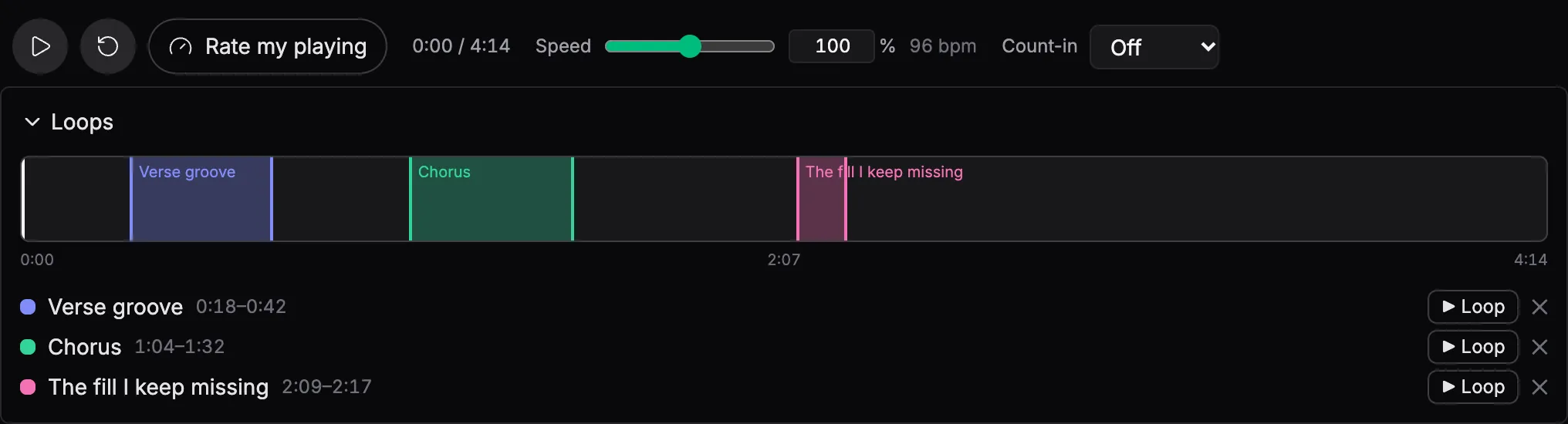
Loops drawn where they are
Drag across the bars you keep fluffing and the loop lands on the barlines. It is saved with the track, so it is still there tomorrow.
Notes pinned to bars
Write a note against bar 12 and it stays on bar 12, whatever width or zoom the score is drawn at.
Corrections in the editor
If a bar came through wrong, open the score in the notation editor and fix it. Convert before you correct: converting again replaces the score, corrections included.
Works on engraved charts — the kind exported from notation software, which is how most drum charts are set. A scan or a photo is turned away rather than guessed at.
The score scrolls to the beat
Press play and the chart moves with the music, playhead on the bar you are in. Play against your own drumless mix or the full track, with a metronome and a proper count-in so you come in right.
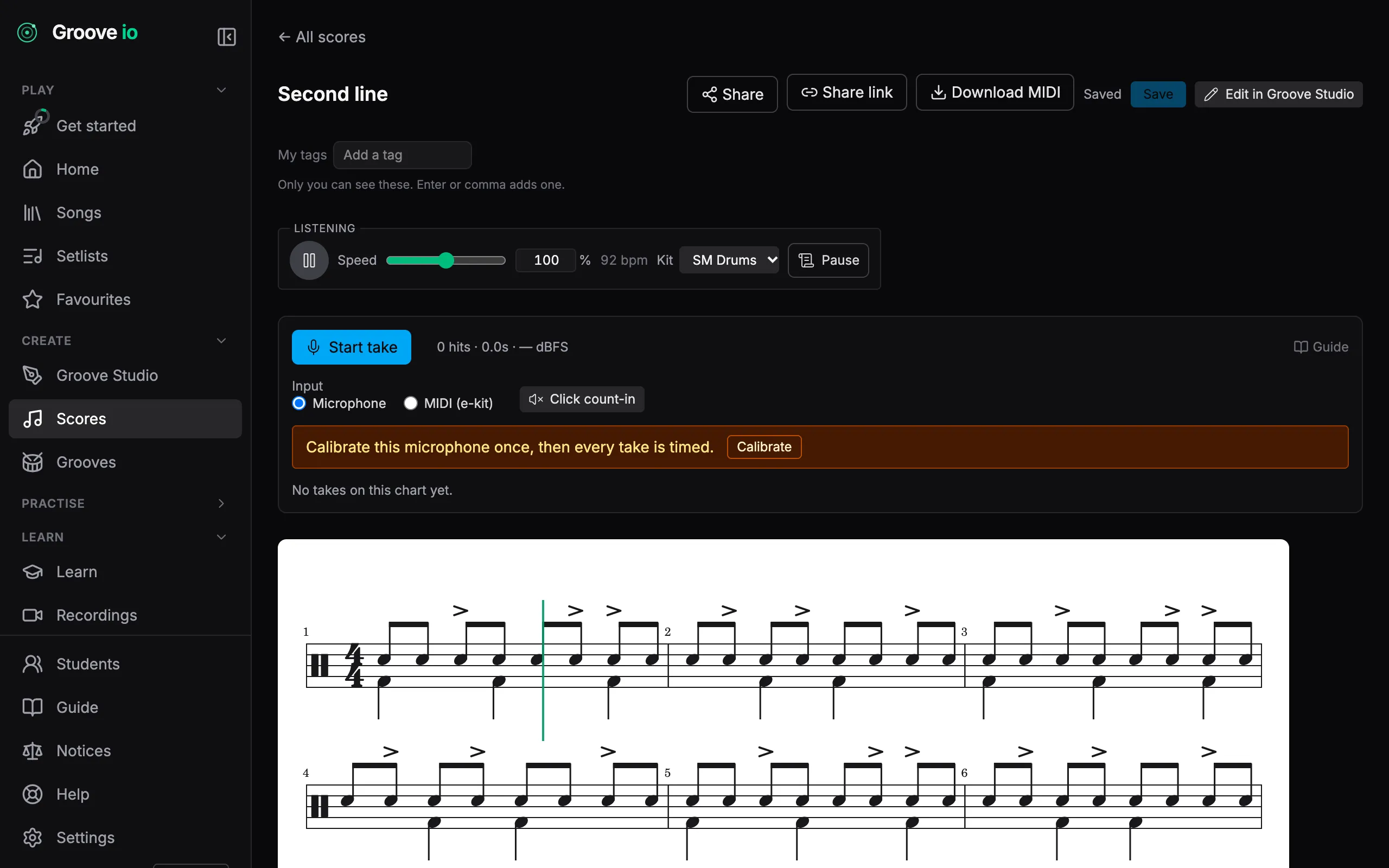
Drill the bar that keeps beating you
Drag across the bars you keep fluffing and loop them. Slow it down, get it clean, wind it back up. The loop is saved with the track, so it is still there tomorrow.
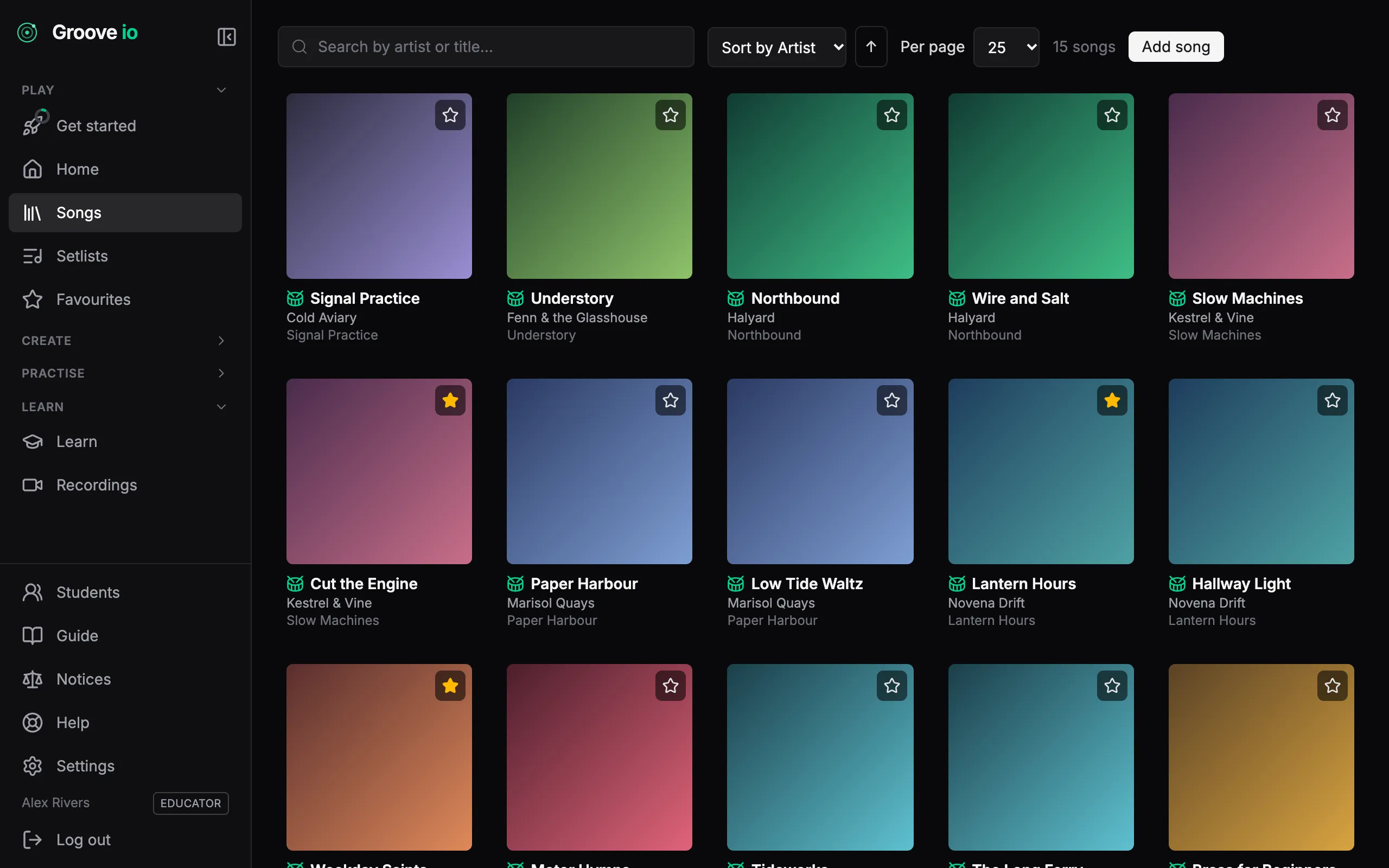
Every chart you own, in one place
Drop in a PDF and Groove IO reads the artist, title, album and tempo off it, then looks the release up in the public music databases to fill in the rest. Search the lot in a keystroke.
Two drum kits
Both kits are recorded from real drums. SM Drums is a 1960s Ludwig kit and the default; Rusty is an oversized 1980s kit with a bigger, looser sound. Switch mid-groove and playback carries on where it was.
How it works →Set a song up once
Pick the audio, tap the tempo, tap a few bars you recognise as they go by and nudge them until the click lands, then save. The chart follows the recording even where the band speeds up. A song another drummer has already set up plays in time the first time you open it.
How it works →
Questions
- Which PDFs convert?
- Engraved charts: the kind exported from notation software, which is how most drum charts are set. The rhythm is read off the beams and stems. A scan or a photograph has no engraving to read and is refused with no staves detected rather than guessed at.
- Do I need the recording?
- The chart scrolls in time with audio you upload (the full song or a drumless mix), a YouTube link, or Scroll only, which runs the chart against a plain timer at the song tempo. Groove IO supplies no songs; the music is yours to bring.
- What about repeats?
- Repeat barlines come through as repeat marks, so the score keeps the chart’s bar numbers and plays each section the right number of times. One-bar and two-bar repeat signs and multi-bar rests are written out in the order you play them.
- Does it find the grooves in the song?
- Yes. When the score has bars that repeat, Groove IO works out which bars belong to which groove, shades them on the chart and draws a map of the song above it. Press a block on the map to jump to that part. Any groove can be saved as one of your own. Every plan sees the grooves; changing the breakdown needs Pro.
- What if a bar comes through wrong?
- A bar whose durations do not add up is flagged rather than quietly kept, and the page says how many did not balance. Open in editor opens the score in Groove Studio, where you fix the bar by hand. Convert before you correct: converting again replaces the score, corrections included.