Practice that answers back.
Know what to play.
Know if you played it.
Groove IO gives your practice a structure, teaches the skills behind it, and grades every take from your e-kit over MIDI or a mic. Teachers run their students from one roster. All on the laptop you already have, at home or in the practice room.
Every plan is free while we’re in early access. No card.
Groove IO in 30 seconds
Structure
Know what to practise, and watch it add up.
Warm-ups that count you in and step up the tempo on their own. Ladders that read your takes and suggest the next groove and the tempo to try it at. Every take kept, with a streak, a twelve-week report and your best tempo on every groove.
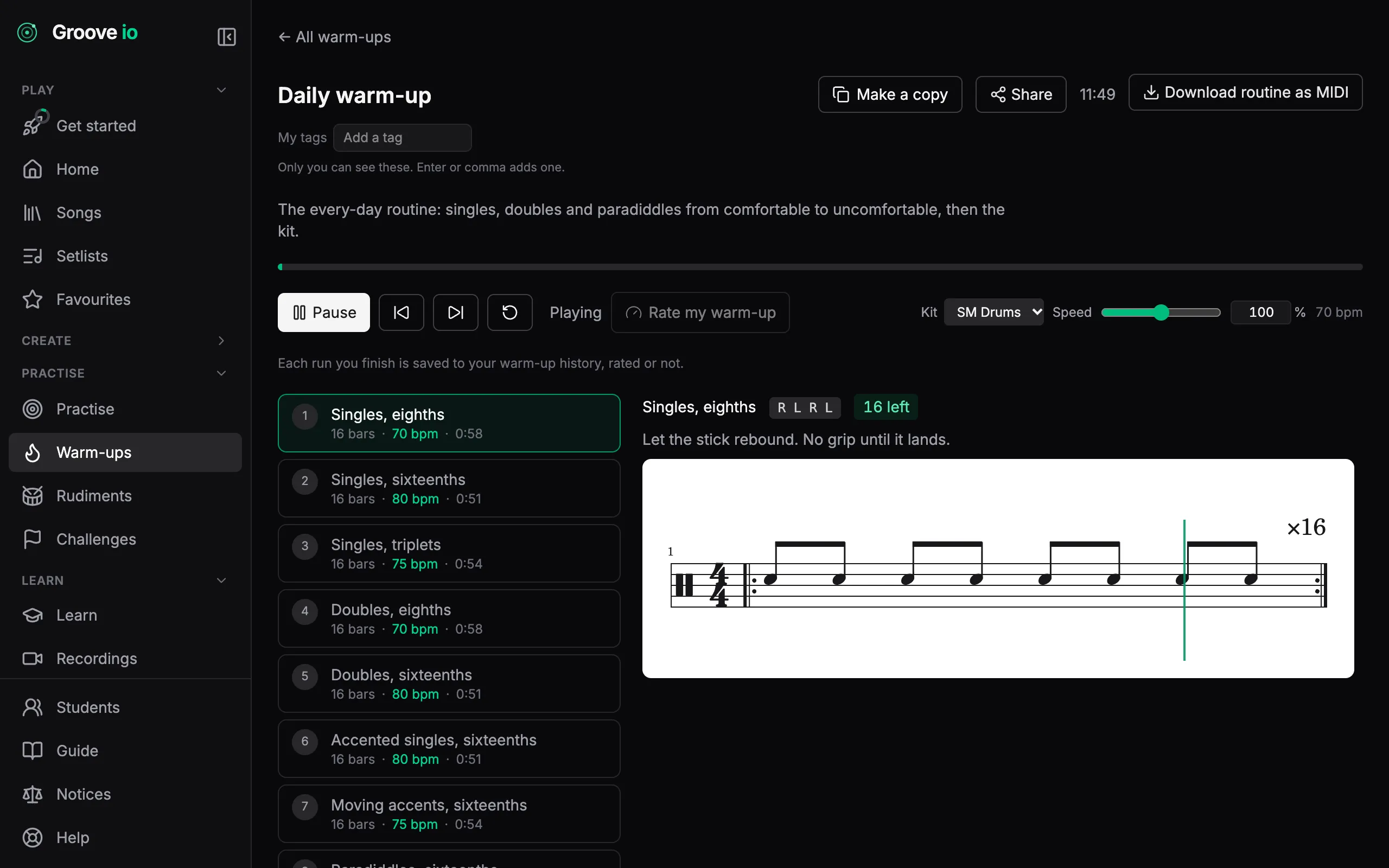
Warm up before you play
Singles, doubles, paradiddles, moving accents and rolls, ramping from a comfortable tempo to an uncomfortable one. Press play once: each step counts you in and the routine moves on by itself.
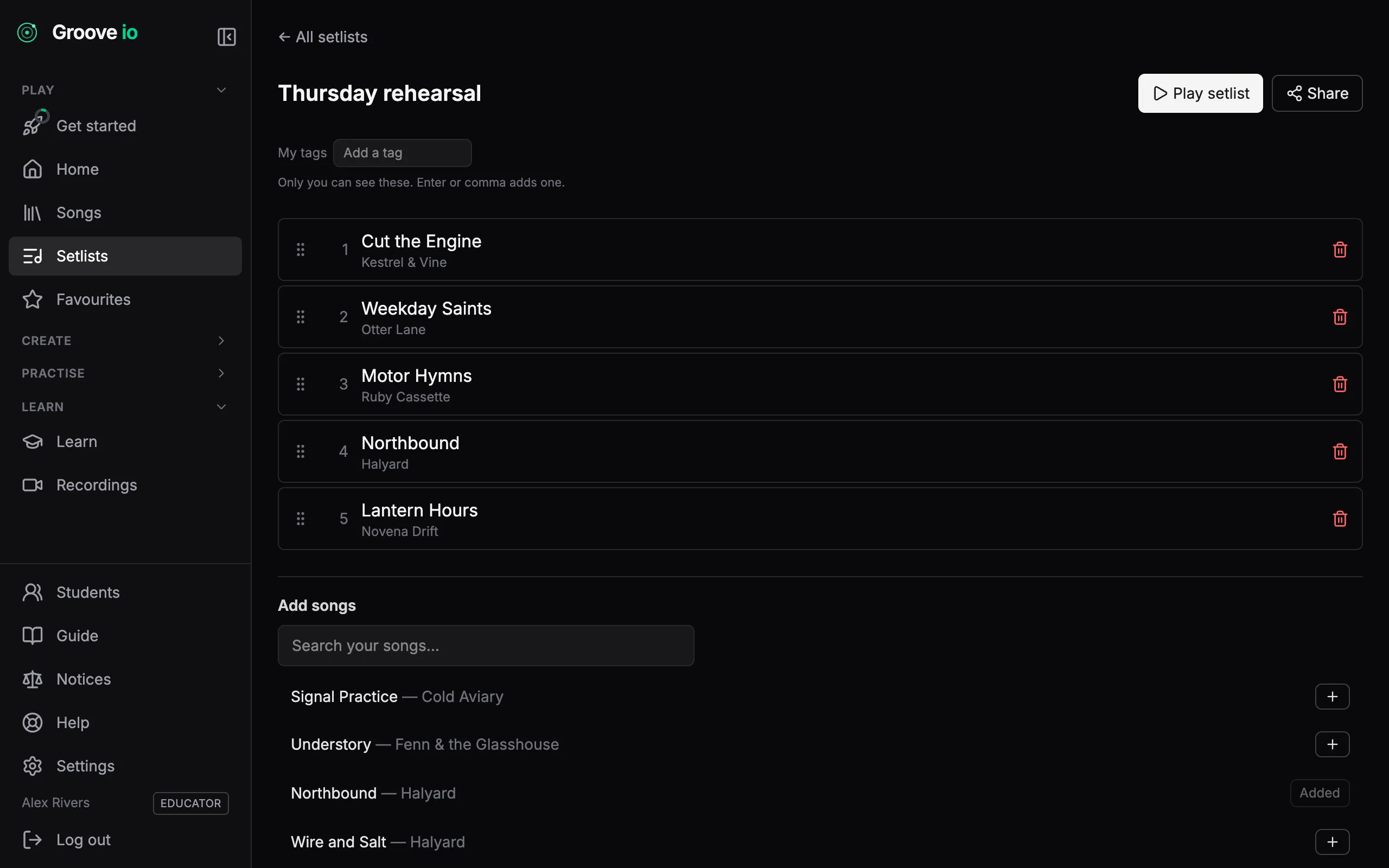
Setlists and favourites
Build a set in the order you play it and work down it without touching the keyboard. Star what you are drilling this week and it stays one click away.
Every take, kept
Each scored take goes on your record: a list of takes, a twelve-week report, your streak, and the best tempo you have held on every groove you play.
How it works →What to play next
Six ladders order the catalogue, starting with four grooves for the very first session and running from a basic rock beat to linear funk. The app reads your takes and suggests the next groove, the tempo to try it at, and why.
How it works →
Skills
Build the drummer, not just the song.
Lessons on reading notation and time signatures, every example playable at any tempo. The forty drum rudiments, each with its sticking. A catalogue of the patterns worth knowing by heart, from a basic rock beat to linear funk. A notation editor to write your own, and a community catalogue to share them.
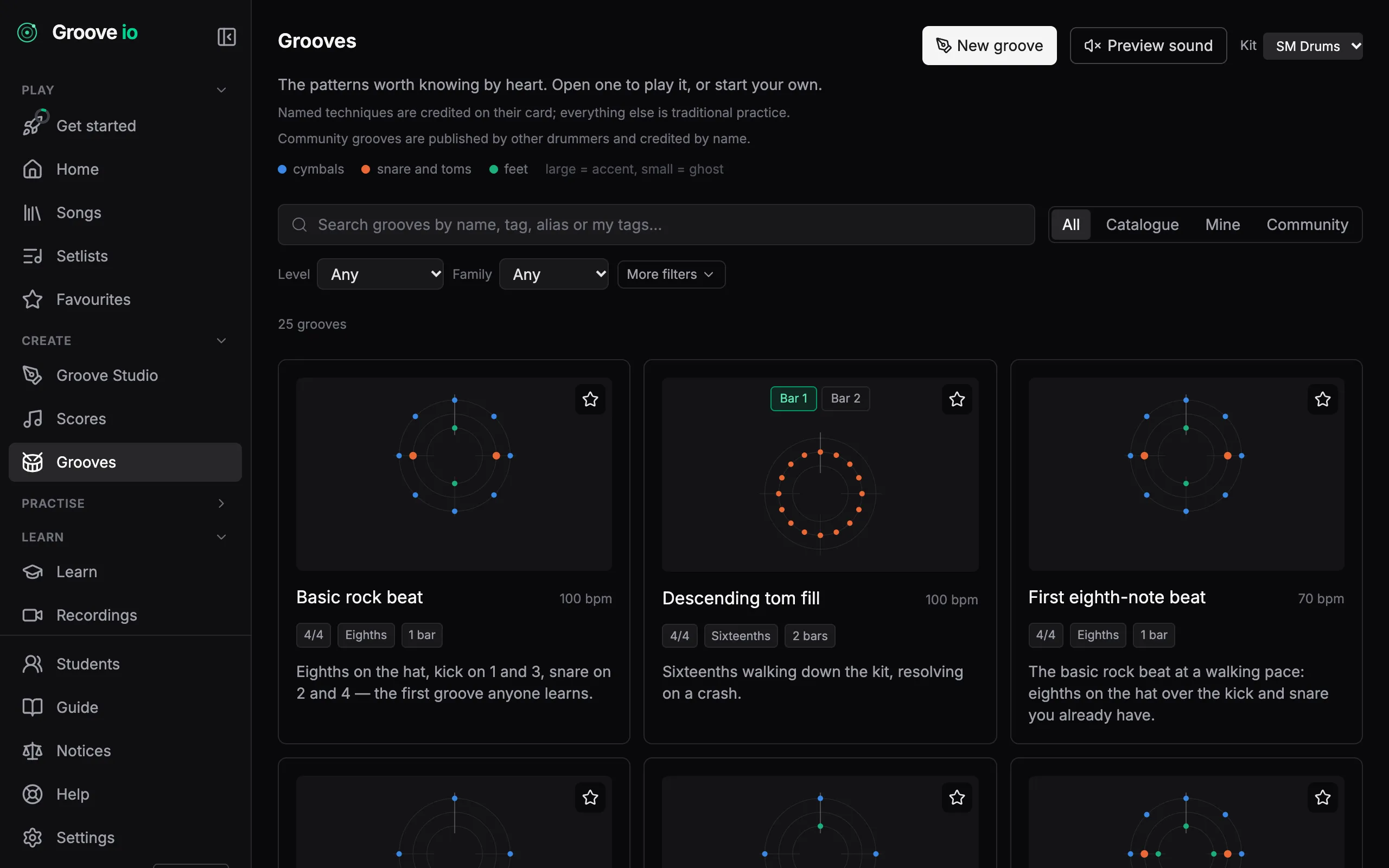
The patterns worth knowing by heart
Second line, son clave, bossa, half-time shuffle, jazz ride. Open one, play it at any tempo, then save a copy and make it your own. The catalogue itself never changes, so what you learned last month is still there.
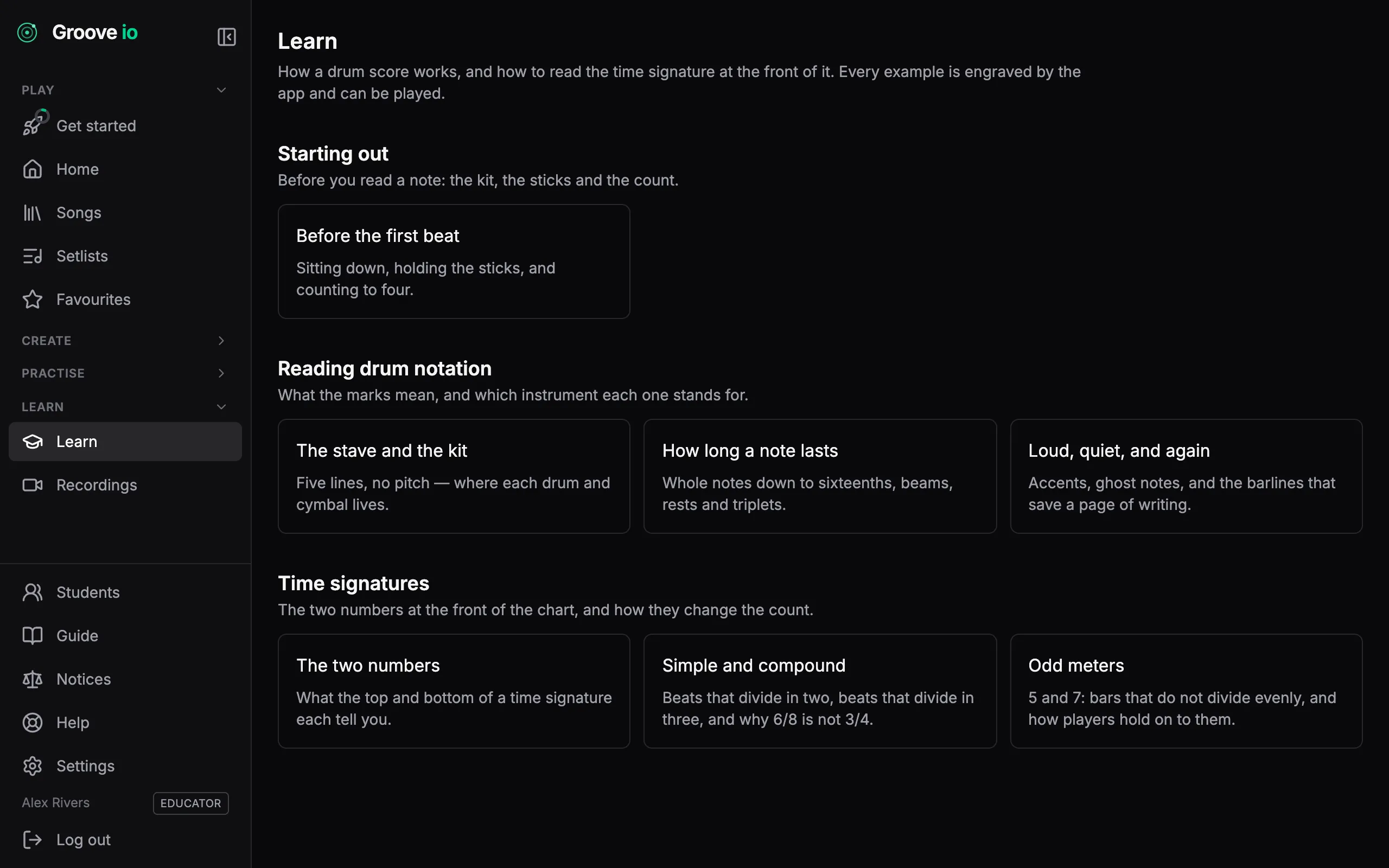
Learn to read the chart
Short lessons on what the marks mean and how a time signature changes the count. Every example is engraved by the app rather than scanned, so you can play any of them at the tempo you want.
Groove Studio
Write your own grooves and scores in a notation editor made for drums. Drop a catalogue groove into a score, cut bars out of a score as a groove of your own, and share either with a link that needs no account to open.
How it works →Community grooves
Publish a groove and other drummers can play it, rate it and copy it into their own Studio. Every published groove carries your name, and a report button keeps the catalogue honest.
How it works →The forty rudiments
All forty international drum rudiments in their four families: rolls, diddles, flams and drags. Each one is engraved with its sticking under every stroke. Open one, press Practise, and your strokes are scored against the written ones.
How it works →The grooves inside a song
Most songs are a handful of grooves joined by fills. Groove IO finds the ones that repeat in your chart, shades their bars and draws a map of the song above the notation. Save any of them as a groove of your own and practise it by itself.
How it works →
Feedback
Find out whether you actually hit it.
Plug an e-kit in over USB and every hit arrives with the drum and how hard, with nothing to calibrate. Or calibrate a mic once and it accounts for your room. Every take is graded per drum against the score, wrong pads called out, and ends with a straight answer.
Every take ends with a straight answer
Plug your e-kit in over MIDI and every hit arrives with the drum it landed on and how hard, with nothing to calibrate. No kit? Your mic listens instead — calibrate once and it accounts for your room. Either way every hit is graded against the score, so a take ends with a straight answer: how much of it landed, and what that makes you today. The detail is a click away when you want to know why.
Scored per drum, not per moment
A kick 20 ms late under a hi-hat dead on is two answers, not one. Each drum is matched against its own part of the chart.
The wrong pad is called out
A snare played where the chart wrote a tom is a wrong drum, not a near miss, and the take says how many there were.
A kit map you teach once
General MIDI works out of the box. If your module differs, hit each pad once in setup and the map is remembered for that kit.
31 of 40 notes landed within ±25 ms.
Show the full readout — every hit against the clock, drift, extras, and a By drum table of what each pad did.
MIDI in, MIDI out
Your grooves go to your DAW and your e-kit. What you play there comes back as notation.
Every groove, score and warm-up routine in Groove IO is a Standard MIDI File away from the rest of your setup. Download one and it plays in any DAW or drives any electronic kit; import one and it lands as notation you can practise, edit and share. Plug the kit in over USB and practice mode hears every hit exactly, with no microphone in the room.
Out to your DAW
Press Download MIDI on a groove, a score, a warm-up routine or a shared link. Repeats are written out so the file plays what you would hear, tempo and meter changes included, on channel 10 in the General MIDI drum map. It lands on a drum track without remapping.
In from your DAW or e-kit
Record a pattern on your kit or program one in your DAW, save it as a .mid file and drop it on Groove Studio. Each hit is snapped to the finest grid that fits its bar, so a triplet stays a triplet, and anything the import had to decide is listed before you save it as a groove or a score.
Live, while you practise
Choose MIDI (e-kit) as the input on the practice card and your module sends every hit with the drum it landed on and how hard. No level or timing calibration to run, a by-drum breakdown at the end of the take, and a hit on the wrong drum is called out rather than credited.
What travels with the file
Dynamics survive the trip
Accents, plain hits and ghost notes travel as velocity and come back as the same marks, so a groove with feel is still a groove with feel once it is in your DAW.
Tuplets stay exact
Files are written at the score model’s own resolution, so every triplet and tuplet position is an exact tick rather than a rounded one.
A kit map you teach once
General MIDI is the default and most modules speak it. If yours does not, hit each drum once in Practise setup and the map is remembered for that kit.
Wired or wireless
USB, or a USB-MIDI cable on a 5-pin MIDI OUT, needs nothing more. On Bluetooth MIDI an optional offset measurement takes the link’s delay out of your timing.
Live e-kit input uses Web MIDI, which Chrome and Edge support and Firefox supports once its MIDI site permission is installed. Safari has no Web MIDI, so on a Mac use Chrome, or plug the module’s line-out into your microphone input. Download and import work in every browser.
Tools
Everything a practice room needs, on the laptop you already have.
Metronome and count-in. Loop and slow down any bar range, saved with the track. Your own charts scrolling in time with your own audio, with the grooves that repeat marked on the page. Two drum kits to play back on, and MIDI in and out of your DAW and your e-kit.
The score scrolls to the beat
Press play and the chart moves with the music, playhead on the bar you are in. Play against your own drumless mix or the full track, with a metronome and a proper count-in so you come in right.
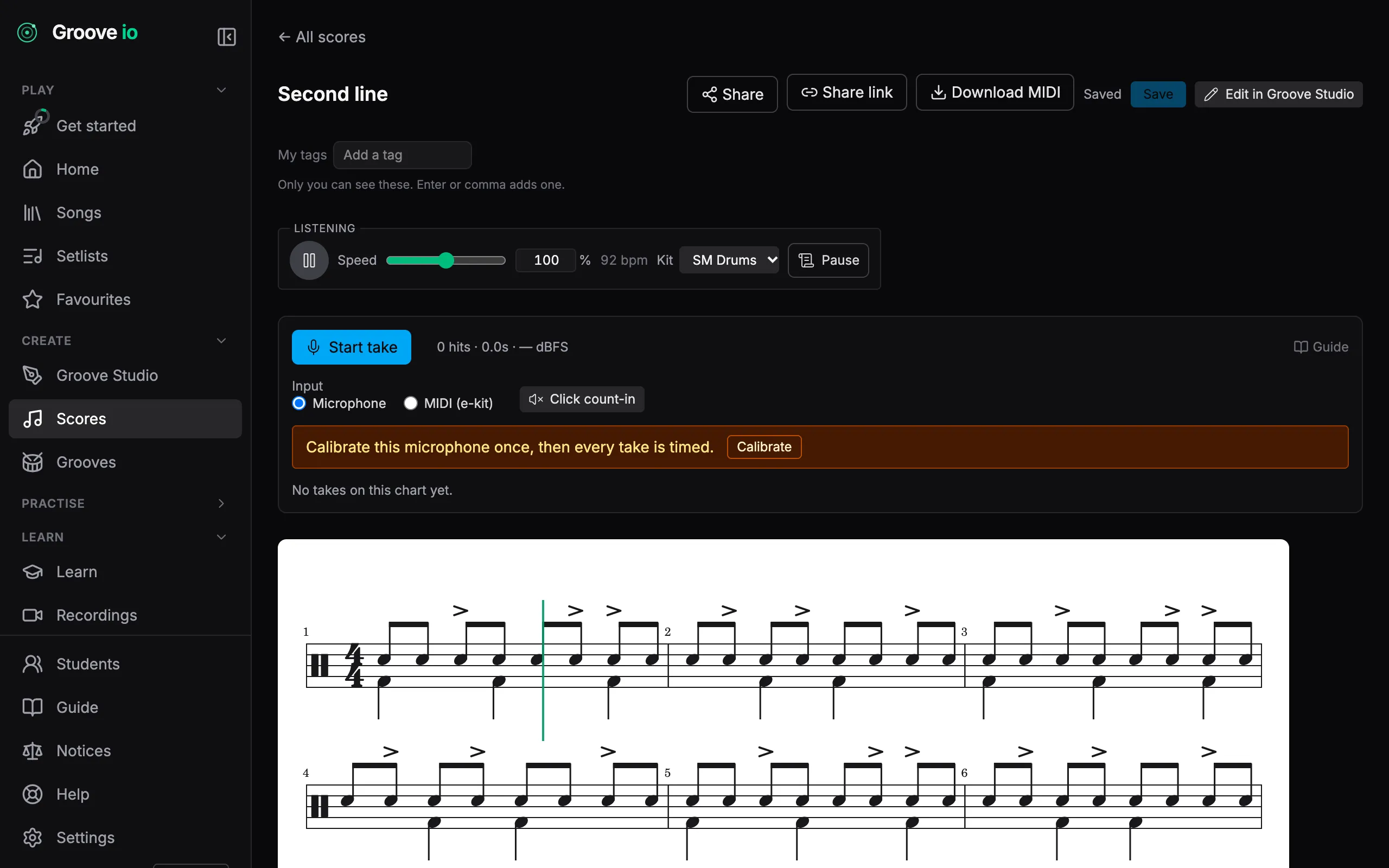
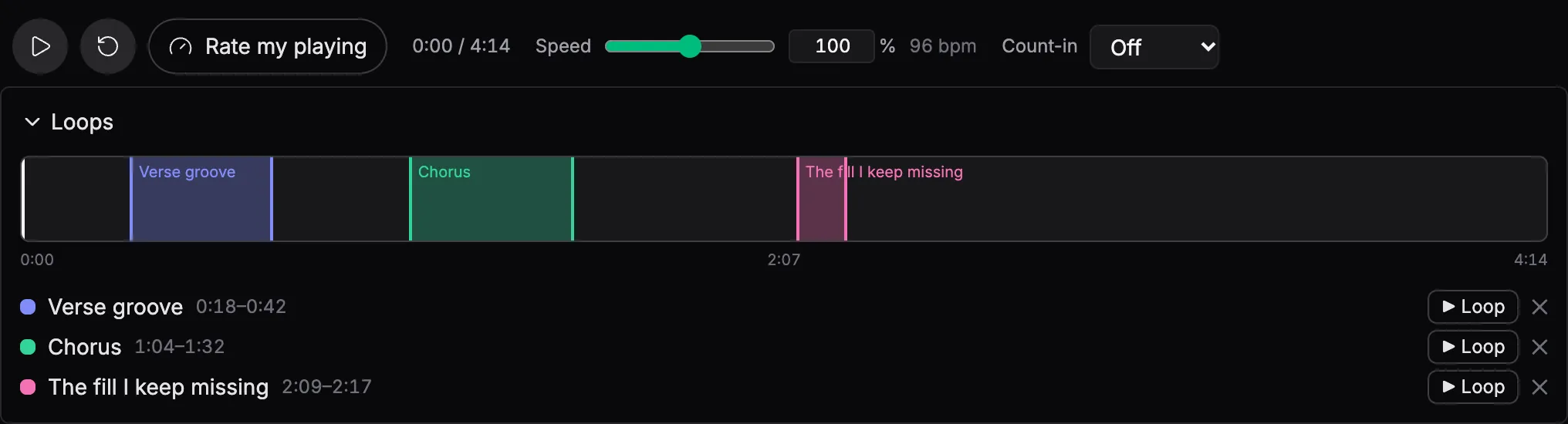
Drill the bar that keeps beating you
Drag across the bars you keep fluffing and loop them. Slow it down, get it clean, wind it back up. The loop is saved with the track, so it is still there tomorrow.
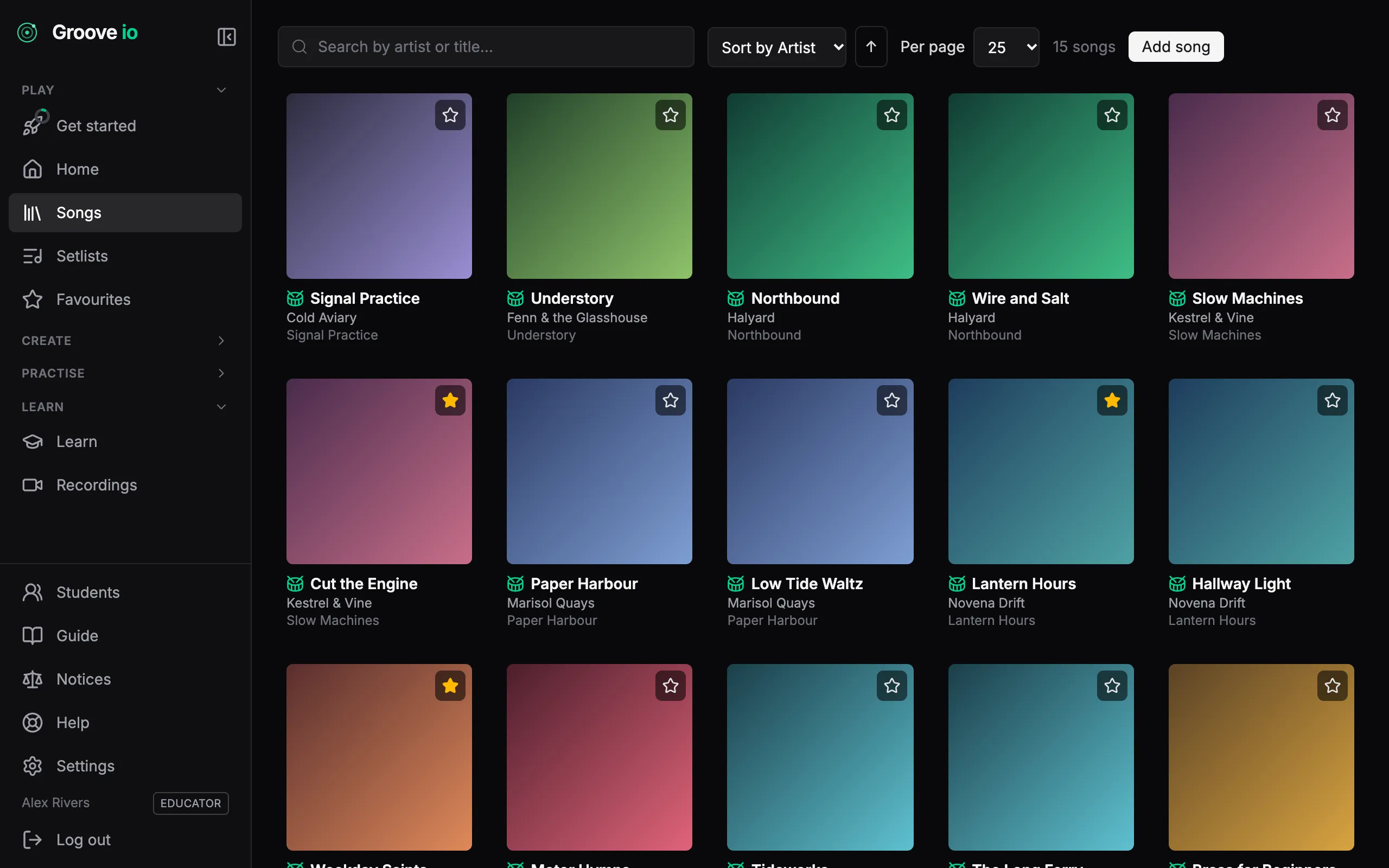
Every chart you own, in one place
Drop in a PDF and Groove IO reads the artist, title, album and tempo off it, then looks the release up in the public music databases to fill in the rest. Search the lot in a keystroke.
From PDF to a score that plays
The chart you already own becomes a score the app can follow.
A PDF is a picture of the music. It cannot say where bar 12 is, so the most a viewer can do is scroll it at roughly the right speed. Groove IO reads the engraving itself — every notehead, stem and barline — and turns it into a real score: one it can follow bar by bar, loop, and take notes on.
Step 1
Drop in the PDF
Add the chart to your library as usual. The artist, title and tempo come off the page by themselves.
Step 2
It converts when you open the song
The rhythm is read off the beams and stems, not guessed from the spacing. Repeat barlines stay as repeat marks, so the score keeps the chart’s bar numbers. A bar that does not add up is flagged, never quietly kept.
Step 3
Practise on the notation
The score takes the PDF’s place on the track page, in time with your recording. The PDF stays one click away.
What a converted score gives you
A playhead on the music
A line moves through the notation as the track plays, on the bar you are in — not a page scrolling at approximately the right rate.
Loops drawn where they are
Drag across the bars you keep fluffing and the loop lands on the barlines. It is saved with the track, so it is still there tomorrow.
Notes pinned to bars
Write a note against bar 12 and it stays on bar 12, whatever width or zoom the score is drawn at.
Corrections in the editor
If a bar came through wrong, open the score in the notation editor and fix it. Convert before you correct: converting again replaces the score, corrections included.
Works on engraved charts — the kind exported from notation software, which is how most drum charts are set. A scan or a photo is turned away rather than guessed at.
Two drum kits
Both kits are recorded from real drums. SM Drums is a 1960s Ludwig kit and the default; Rusty is an oversized 1980s kit with a bigger, looser sound. Switch mid-groove and playback carries on where it was.
How it works →Set a song up once
Pick the audio, tap the tempo, tap a few bars you recognise as they go by and nudge them until the click lands, then save. The chart follows the recording even where the band speeds up. A song another drummer has already set up plays in time the first time you open it.
How it works →
Teaching
Run your roster, not your inbox.
Invite a student with a link, with no account admin. Send them a song, setlist, score or groove with your note, a target tempo and a date, and see whether the week’s practice happened, with their consent. Private two-way recordings, made in the browser or uploaded, each with its own thread of notes.
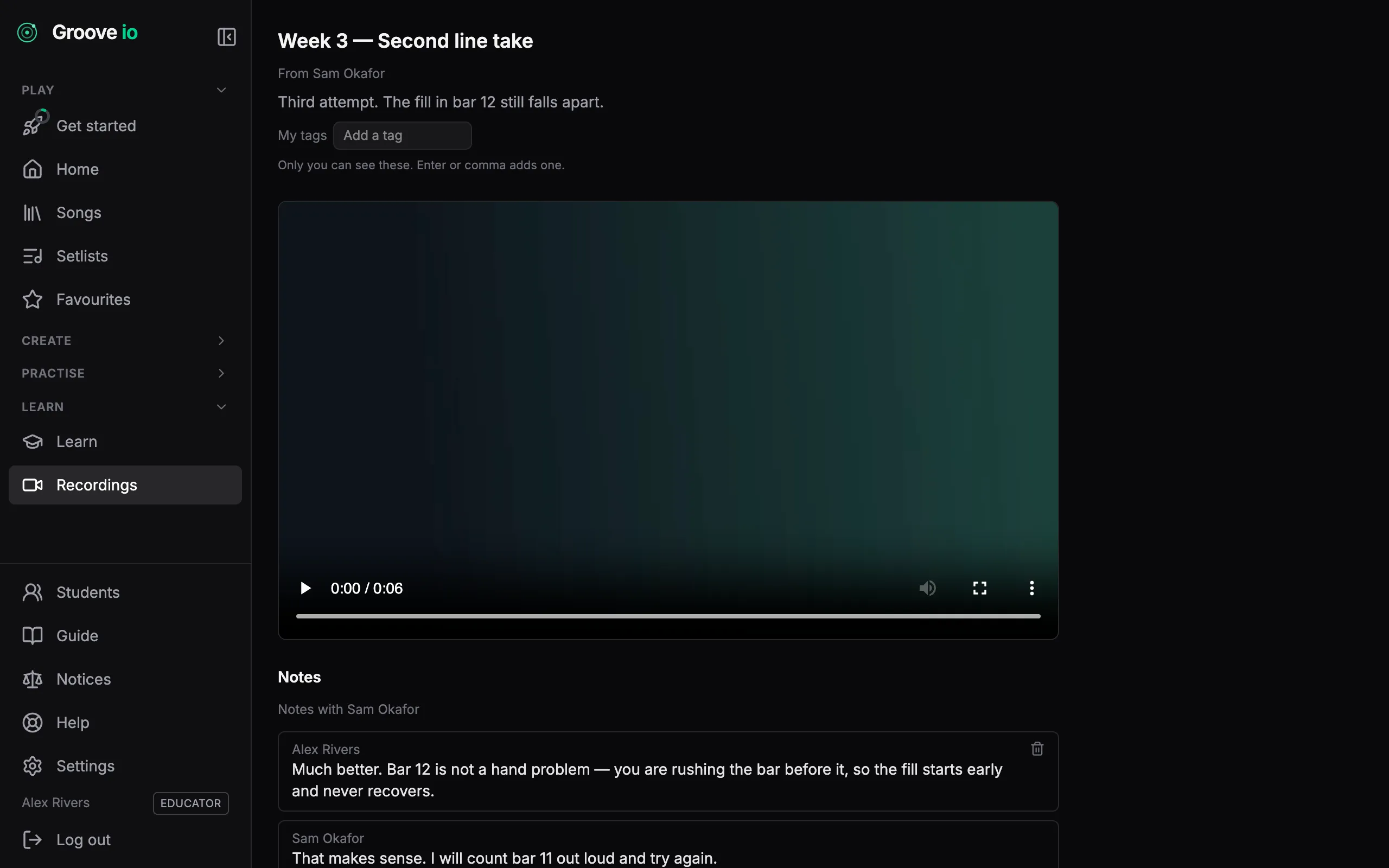
You hear a student play for half an hour a week and then guess at the other six days. Groove IO closes that gap: share a recording that you want them to focus on for the next lesson; they record a take at home in the browser, you play it back when you have a minute, and the note you write sits on the take itself. Everything is private to the two of you.
Invite in one link
They set their own password. You never handle a login.
Both directions
You send demonstrations. They send takes. Same tool.
Private per student
A note to one student is invisible to every other.
Your students, on one roster
Send an invite link and your student sets their own password — no account admin for you, no shared logins. Unlink someone and everything you shared with them goes with it, the same minute.
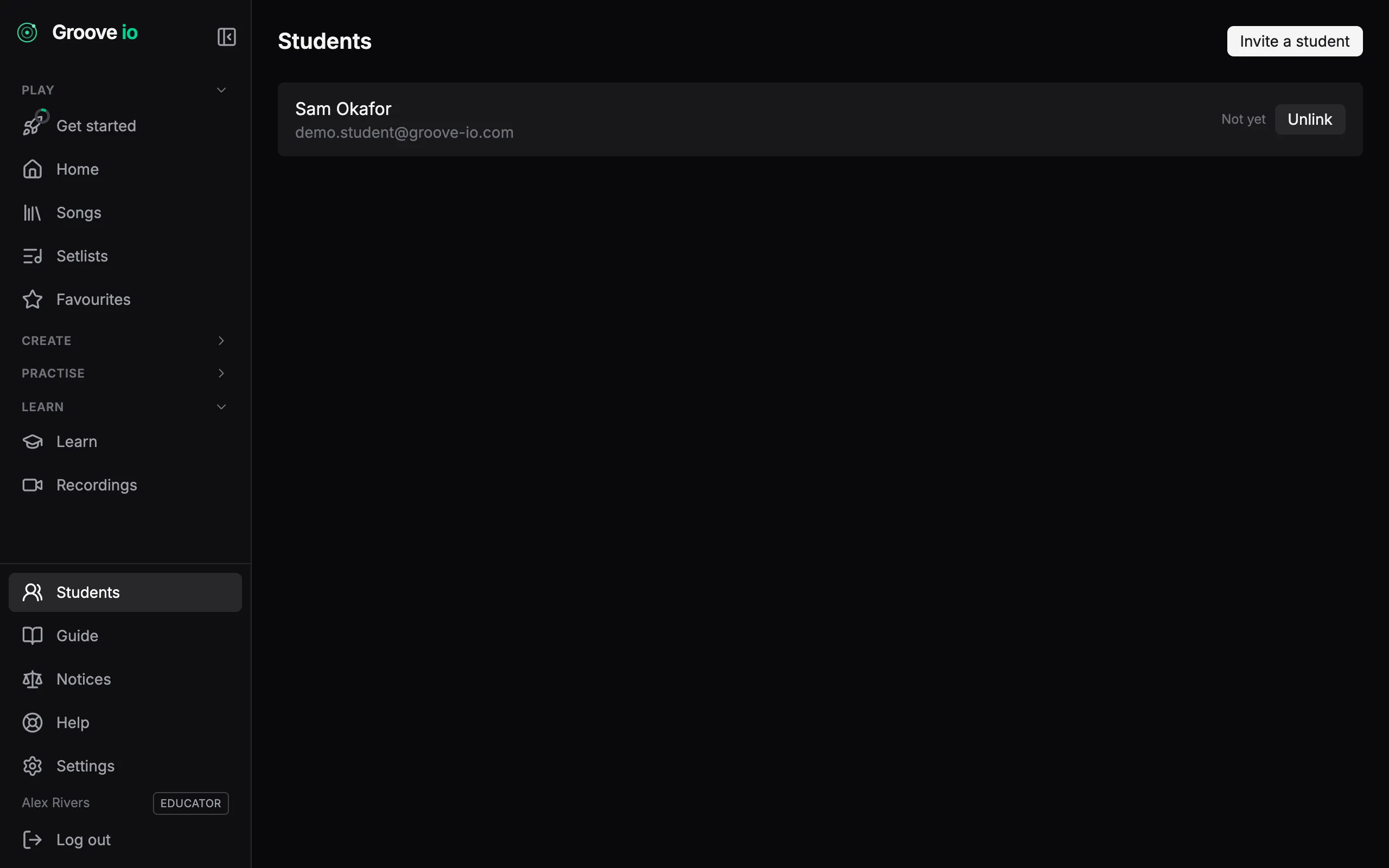
Send a take, get one back
Record a take in the browser, video or audio, or upload a clip, and send it to your teacher. If you teach, send a demonstration to any student on your roster. It runs both ways, it is private to the two of you, and either of you can take a share back without deleting the recording.
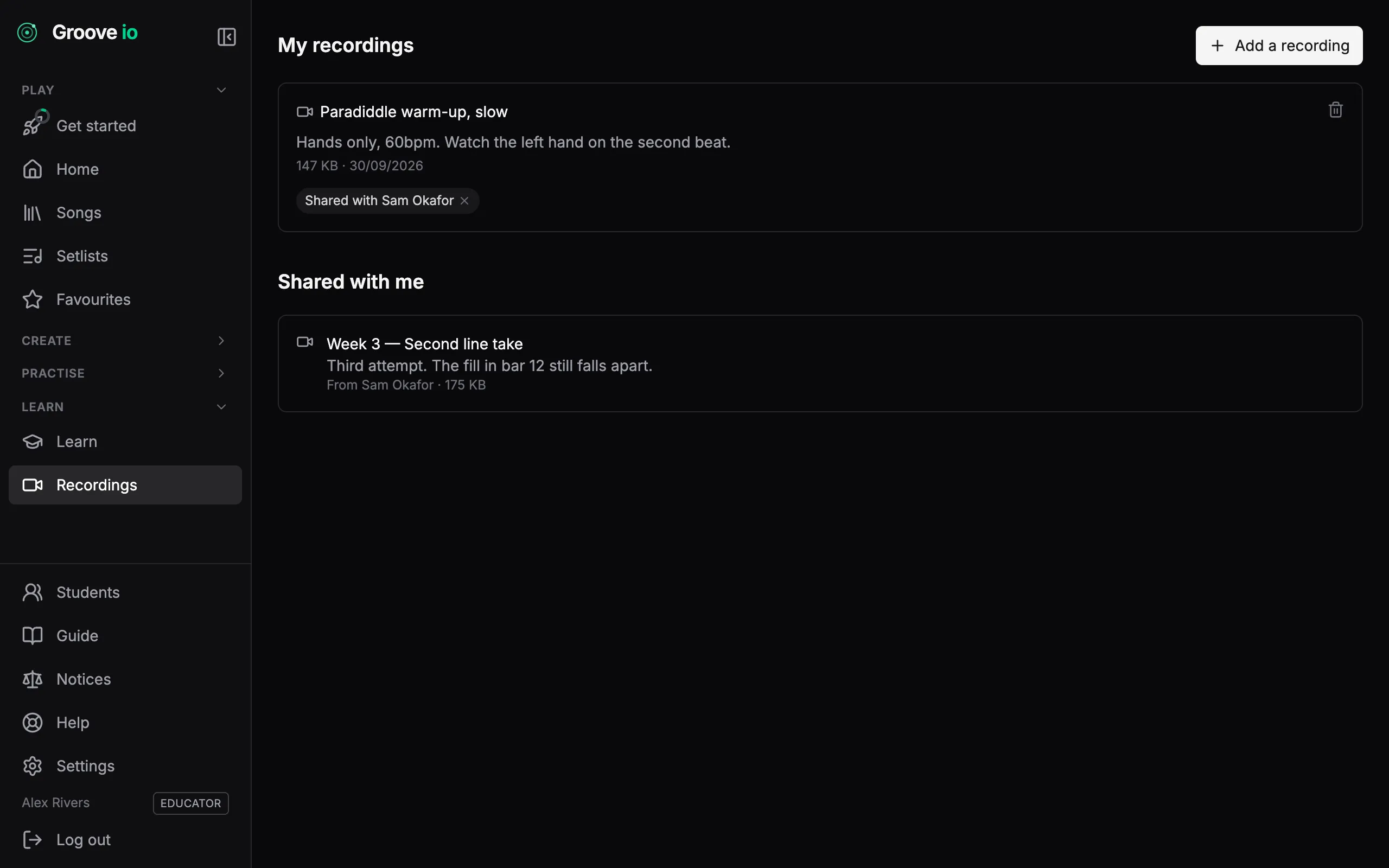
Feedback on the take itself
Every share carries its own conversation, so a note about bar 12 sits on the recording of bar 12 rather than in a message thread nobody can find. What you write to one student is never visible to another.
Give them the chart, not a link to it
Send a student a song, a setlist, a score or a groove and it lands in their library under ‘From your teacher’ — with your note on it, so they know what to do with it. Take the share back and it goes, without touching anything they made from it.
From your teacher
3 items- SetlistThursday rehearsal5 tracks
Run these in order, metronome on. Stop if the tempo sags.
- SongCut the EngineKestrel & Vine · 134 BPM
The fill in bar 12 — take it at 90 until it is clean.
- GrooveHalf-time shuffle4/4
Ghost notes quieter than you think. Listen back.
Teaching on Groove IO
The Educator plan carries a roster of up to 25 students. Students join free — a student account never pays to receive what you send them.